


In this day and age a person’s phone is more than just for making convenient calls. It can be the portal to a vast amount of information. PressReader is the door to this information by making the worlds newspapers available on a variety of devices. Once you Subscribe to the service you can access your account via your phone or your browser. This is immensely useful. Your account keeps track of your favorite papers no matter which device you are reading from. Let’s get started……
http://www.pressreader.com/
You start your subscription and then get the app for your phone. It is available for some Blackberry models, although not for the one I have currently have.

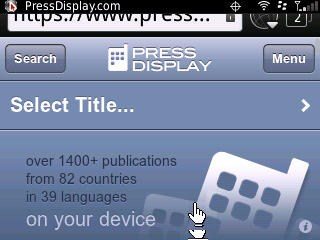
However, I can access the newspapers from the Blackberry browser.
http://www.pressdisplay.com/

If I want to hear an article I have the choice of letting it stream now or saving an mp3 on the phone for later listening. I just click on the ‘headphone’ gadget.

However, using the app is where the real fun begins. And I have to admit, using PressReader on an android OS equipped phone is a dream.
I download the app on a HTC Thunderbolt by scanning the QR code from here:
http://www.pressreader.com/android.html
settings is where you enter your account info

Tap Authorize
Enter your name, password, and so on

The main page is where you set up your favorite newspapers, when they arrive on your device..you can search under languages, title of the paper, country

If you see an issue you wish to read tap on the paper’s icon and watch the download progress by observing the Green bar under the newspaper icon. When that issue is downloaded and available a green dot appears next to the number of pages for that issue.
You can’t Zoom a page until the entire issue has downloaded. But I can still read an individual article by hold my finger down on the highlighted headline (if it’s selected it’s highlighted by a light blue color). That article pops into the screen in one column.
If you wish to keep receiving a particular paper, hold your finger down on the paper Icon to access calendar. When it pops up you can “Automatically deliver all new issues”, select a particular date to download and “Add to favorites”

Once you start reading and flipping through the pages that’s when you really get how wonderful this feels. And the papers look so beautiful and readable. My account remembers the article I was last reading. The HTC Thunderbolt’s very sensitive touch screen makes Zooming into an article or page easy. Did you know the FAA wants to charge people for aiming lasers at planes (almost up to 3000 incidents a year) – [page A2 The Washington Post June 2 edition]? or that Glasgow may impose Beijing-style traffic ban to protect Games stars from pollution (The Scotsman, 14 Jun 2011, Page 5)
or
Libyan cleared over Lockerbie may be retried under double jeopardy – [p 6 of The Scotsman June 14]?
Who knew?
I like being able to Share a great article I’m reading. On the HTC Thunderbolt I access this from the menu button while reading an article. I get three choices: Listen, Share, Font Size. The Share feature let’s me send myself the link to an article. You are also supposed to send a link to facebook and twitter. On the Thunderbolt I did have difficulty accessing facebook. When I click the facebook button it asks me to log into Facebook, which i do. However, I get a message “The page you requested is not found”. The good people at PressDisplay are looking into this although it’s unknown where the source of the problem may be. Since I can send myself a link via email, it’s easy enough to then go online and do the facebook connecting there.

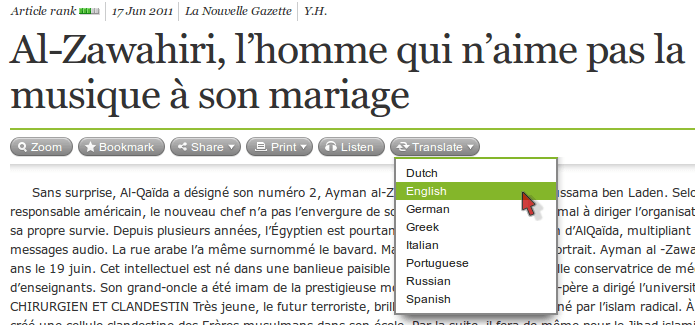
I’ve tried the Listen feature on the HTC Thunderbolt as well as online from my browser. The on-demand audio technology is proprietary and works quite well. I’ve listen to English papers and a French speaking paper. The audio had wonderfully correct accents but the inflection can sometimes be just slightly off because it’s not a human being reading, it’s software. This doesn’t hinder understanding of the written word, however. Another alternative: if you are reading articles from your browser click on Translate and pick the language you wish to read the article in. It immediately changes the text to your chosen language.
And if you ever wish to remove a particular issue of a paper go to the main page with the list of your favorites and HOLD your finger over the newspaper icon. A window with the Delete function pops up. You will be asked if you wish to delete only that issue or all the issues of that paper.
The bottom line is that PressDisplay has many features that make reading papers from around the world a really exciting experience. There’s the convenience of having this in your hand ready to read anywhere at any time. Plus, organizing your account online has even more features. Reading Newspapers is now more of an interactive activity with linking articles to blogs and social networks. And no more ink on your fingers! I give this app an A++ because Knowledge is Power. And that Power is in your hands.